The State of WordPress in the Age of AI
A lot of people are asking right now if AI is going to replace WordPress developers, designers, SEO companies, and content writers. Honestly, after working with WordPress websites every single day and watching how fast AI is moving, I can confidently say that the answer is both yes and no depending on how people adapt to it.
What AI is really doing is changing the speed of development. It is speeding everything up dramatically. Things that used to take hours can sometimes now take minutes. Blog outlines, coding assistance, image generation, troubleshooting plugin conflicts, content ideas, schema generation, SEO structures, CSS snippets, JavaScript debugging, and even server troubleshooting are all being accelerated with AI tools.
The businesses and developers who learn how to properly use AI are going to have a huge advantage over the ones refusing to adapt.
At the same time though, AI is also creating a massive flood of low quality content and low quality websites online right now. Honestly some of it is getting pretty bad. You can almost instantly tell when a website was built entirely by AI with no real strategy, personality, or experience behind it.
The content all sounds the same.
The designs all feel the same.
The SEO structures all look identical.
And in many cases the websites have absolutely no real branding or identity at all.
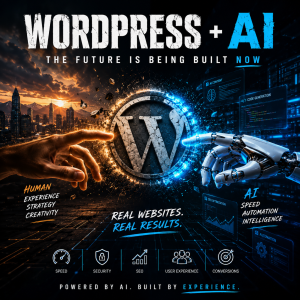 This is becoming one of the biggest problems on the internet right now.
WordPress itself is in a really interesting position because it is still by far the most flexible website platform in the world. People have been predicting the death of WordPress for years now and honestly I do not see that happening anytime soon. If anything, AI may actually strengthen WordPress because of how customizable the platform is.
Most AI website builders are still very limited.
They can generate:
- layouts
- sections
- images
- generic content
But they usually cannot truly understand:
- local SEO
- branding psychology
- conversion optimization
- long term business growth
- server performance
- advanced plugin compatibility
- security hardening
- real user behavior
That is where experienced WordPress developers still have a massive advantage.
One thing we are seeing right now is that businesses are getting overwhelmed with options. There are now hundreds of AI tools claiming they can build websites instantly. The reality though is that most business owners do not just need a website. They need:
- a brand
- a sales system
- search engine visibility
- trust
- speed
- mobile optimization
- security
- lead generation
- reputation management
A website is not just code sitting on a server somewhere. It is often the entire first impression of a company.
And honestly that is where human experience still matters tremendously.
One thing AI is absolutely changing though is content production. Businesses that used to struggle to write one blog post per month can now generate ideas and outlines incredibly fast. The problem is that many companies are abusing this and publishing hundreds of terrible AI articles that provide almost no value to users.
Google is clearly getting better at detecting this.
The websites that are going to survive long term are the ones combining AI efficiency with real expertise and real-world experience.
This is why I think personal brand and authentic voice are becoming even MORE important now than they were before AI exploded onto the scene.
People want real opinions.
Real experiences.
Real observations.
Not generic robotic writing that sounds like every other website online.
That is one thing we are focusing on heavily right now at SkyPoint Studios. We are using AI constantly inside our workflows, but we are also making sure that our websites, branding, SEO strategies, and content still feel human and authentic.
Another thing AI is changing rapidly inside WordPress is customer support and automation. AI chat systems are becoming incredibly advanced. Businesses can now automate:
- customer service
- appointment scheduling
- lead qualification
- FAQ systems
- email responses
- support ticket routing
This is saving companies enormous amounts of time.
At the same time though, security risks are also increasing. AI is making it easier for hackers to automate attacks, scan for vulnerabilities, generate phishing attempts, and exploit weak websites. This is one reason why WordPress security is becoming more important than ever before.
A lot of business owners still do not realize how vulnerable outdated plugins and themes can make a website. We constantly see hacked WordPress sites where businesses had no idea there was even a problem until Google started flagging pages or rankings disappeared.
AI is speeding up both sides of the internet right now:
- the builders
- and the attackers
That means businesses need to stay ahead technically.
One thing I personally believe is that smaller agencies and independent developers may actually benefit enormously from AI over the next several years. A small skilled team can now accomplish things that previously required much larger companies. AI is leveling the playing field in a lot of ways.
But the biggest advantage still belongs to people with real experience.
AI can generate code snippets.
AI can generate designs.
AI can generate articles.
But experience is still what tells you:
- what actually converts
- what actually ranks
- what breaks websites
- what damages SEO
- what users respond to
- what makes businesses grow
And honestly, that knowledge only comes from years of actually doing the work.
The future of WordPress is going to be very interesting to watch over the next few years. I think we are going to see:
- faster website development
- smarter SEO tools
- more automation
- more AI integrations
- more security challenges
- and a massive increase in competition online
But I also think the websites that win are still going to be the ones that feel real.
That is probably the biggest thing AI cannot fake very well right now:
real experience, real personality, and real human connection.
And in a strange way, AI may actually make those things more valuable than ever before.